


Overriding profit allocation for partners within Personal Tax
Article ID
kas-0005
Article Name
Overriding profit allocation for partners within Personal Tax
Created Date
2nd January 2021
Problem
If the profit/loss was not split proportionately between the partners
Resolution
Keytime Personal Tax automatically calculates the profit/loss allocation between each of the partners on pages 6 and 7 of the partnership tax return (SA800).
In some circumstances (e.g. if the profit/loss was not split proportionately between the partners) you may wish to override these amounts.
To override profit allocations within a partnership tax return:
1. Open the partnership tax return
2. Click the Client button
3. Open the Partners tab
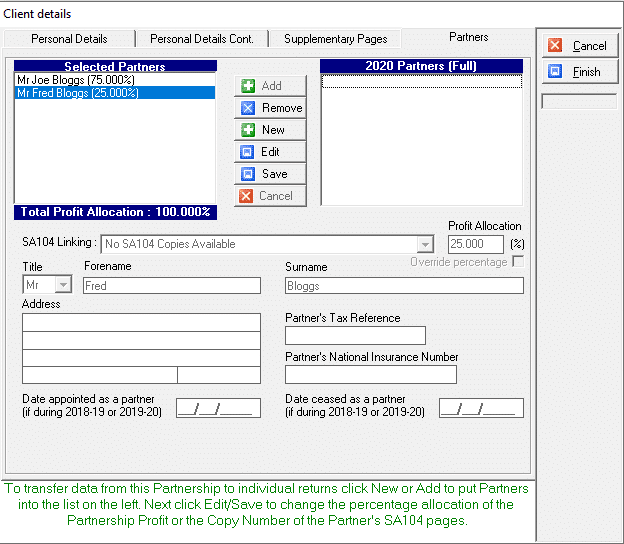
4. In turn repeat the following process for each of the partners that you wish to make adjustments for:
– a) Highlight the partner in the left hand column
– b) Click Edit
– c) Tick the Override profit allocation box
– d) Click Save
5. Click Next
6. Click Finish
7. Choose No when prompted to refresh the partners’ details
8. Make the required changes to the individual partners’ amounts on pages 6 and 7
We are sorry you did not find this KB article helpful. Please use the box below to let us know how we can improve it.