


How to publish P60’s using OpenPayslips
Article ID
11553
Article Name
How to publish P60’s using OpenPayslips
Created Date
24th February 2015
Problem
open payslips openenrol open enrol
How do I publish P60's using IRIS OpenPayslips?
Resolution
- Install the report from the library. Go to “Reports” > “Library Selection” > “Miscellaneous“
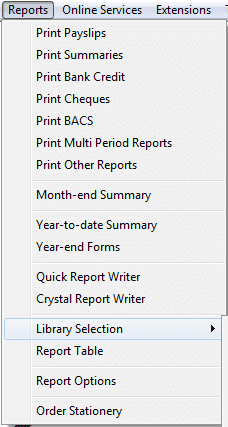
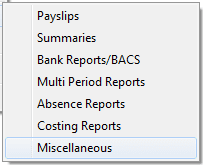
- Find P60 (OpenPayslips) in the list and double click.
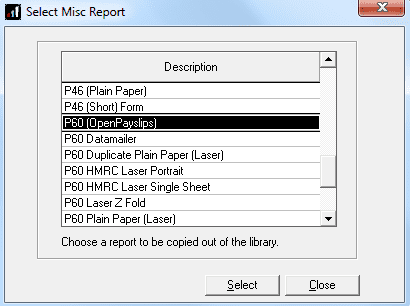
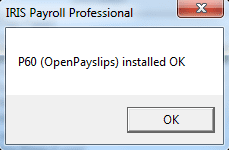
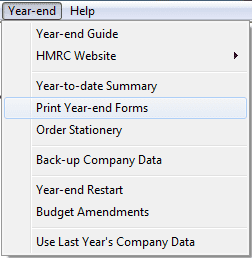
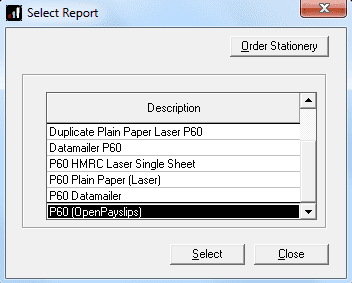
- The report is now ready to use. Go to “Year End” > “Print Year End Forms” and select P60 (OpenPayslips) from the list.
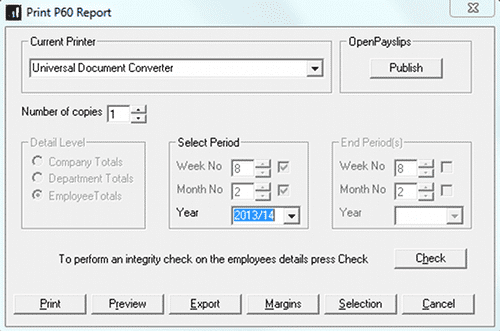
- Click “Publish“
We are sorry you did not find this KB article helpful. Please use the box below to let us know how we can improve it.