


PTP – How to Install PTP Share Register
Article ID
ptp-how-to-install-ptp-share-register
Article Name
PTP – How to Install PTP Share Register
Created Date
19th July 2022
Problem
I have purchased PTP Share Register and I don't know how to install it.
Resolution
This guide will show you how to install PTP Share Register as a brand new installation. Please follow the instructions below.
1. Download the software by clicking on this link.
2. Once downloaded, run the installer from your downloads folder.
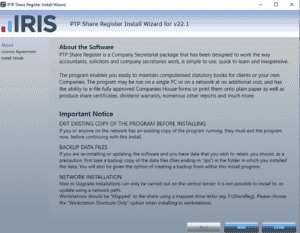
3. When the installer wizard appears like the screenshot above, please read the important notice before clicking next.
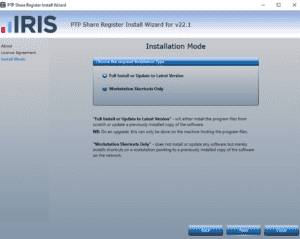
4. Please tick Full Install or Update to the Latest Version and then click next.
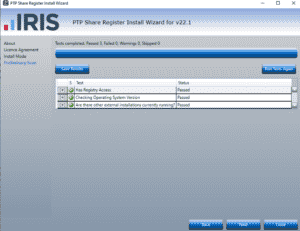
5. Once these checks have completed and passed please click next.
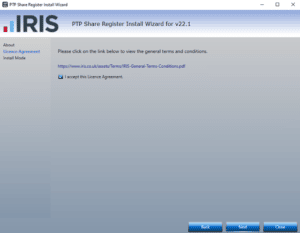
6. You will need to accept the Licence Agreement before continuing, please tick the box in order to click next on the installer wizard.
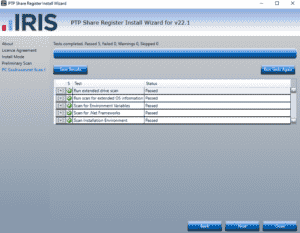
7. Once these checks have completed and passed please click next.
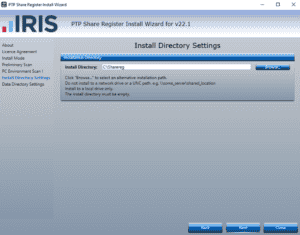
8. If you wish to select an alternative directory then click browse. Otherwise click next to proceed.
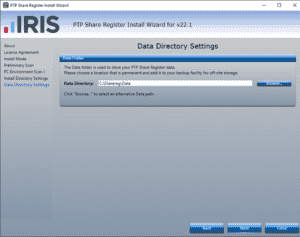
9. If you wish to select an alternative directory then click browse. Otherwise click next to proceed.
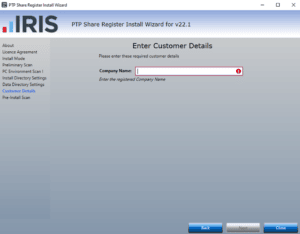
10. Please enter your company name, when completed please click next.
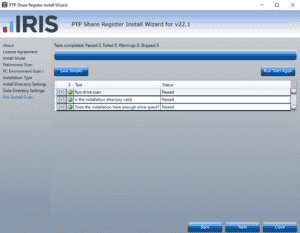
11. Once these checks have completed and passed please click next.
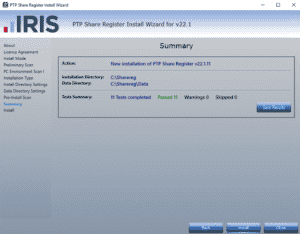
12. Click install when you are ready to proceed
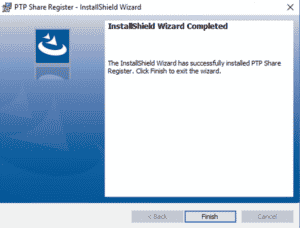
13. You have successfully installed PTP Share Register. If you are wanting to configure your set up for a network then please click here.
We are sorry you did not find this KB article helpful. Please use the box below to let us know how we can improve it.